My Hotel Lobby AI / Guides
Hotel Lobby AI Pets: Put Your Cats and Dogs in the Booth
Pets started the trend
Cats were there from the start. According to XXL, the trend seems to have begun in early September 2026 with a TikTok clip of two cats placed into the orange booth. Hotel Lobby AI pets have stayed popular since, because a dog nodding along to a beat next to a cat is hard to scroll past.
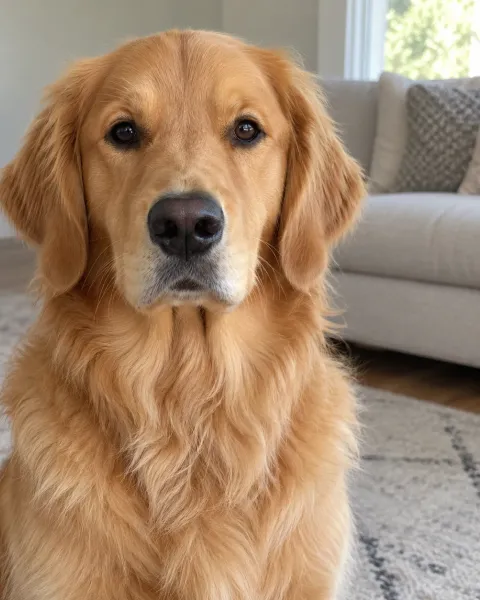
These are real pet videos from our pipeline: a person with a dog, a person with a cat, and a cat with a dog. All the input photos are fictional test photos made for quality testing.

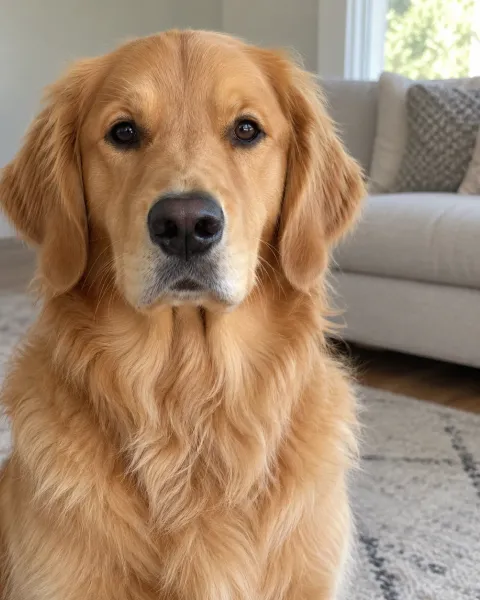
Owner and golden retriever
A person and a dog from two unrelated photos, side by side under the hanging mic. Fictional test photos.
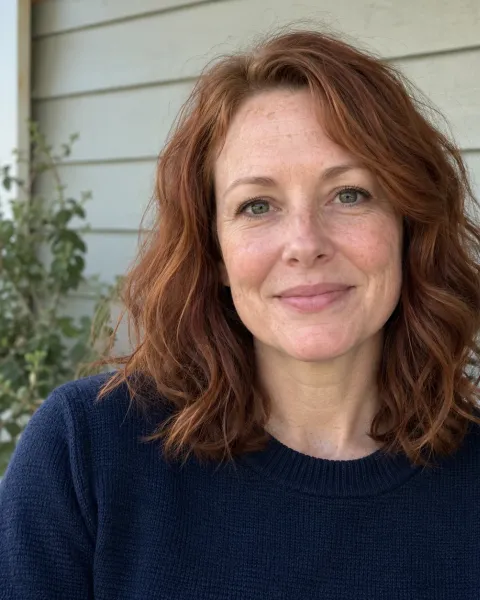
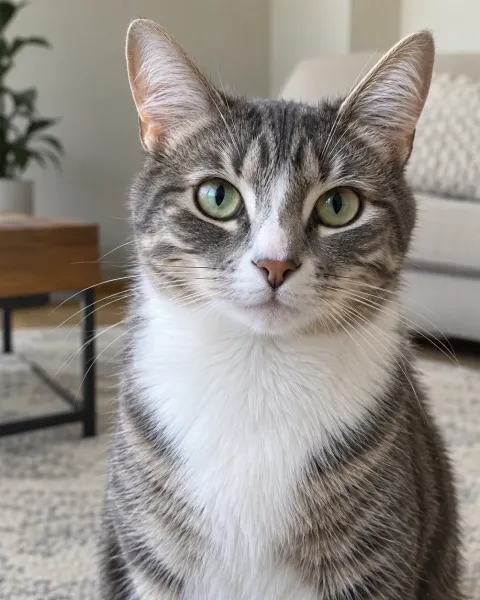
Owner and tabby cat
Human on the left, cat on the right — the order you upload is the order you get. Fictional test photos.
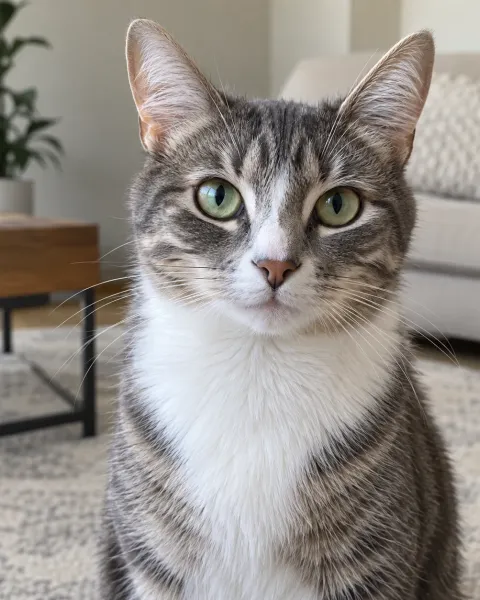
Cat and dog duet
Two pet photos, no people at all. Fictional test photos of a tabby and a retriever.
How to make a Hotel Lobby AI pet video
Take or choose one photo per pet
One animal per photo, facing the camera, in daylight. Get down to their eye level instead of shooting from above.
Decide who goes on the left
Photo 1 becomes the left performer and Photo 2 the right one. Use Swap performers to switch. You can mix a person and a pet.
Create the video
Confirm you have the right to use both photos and press Create My Hotel Lobby Video. One video costs $5.99.
Download and share
Download the MP4 when it is ready. It stays available for 7 days.
Pet photo tips: what works and what to avoid
Pet photos fail in different ways from people photos. Pets move, they look away, and dark fur hides detail. These examples show the same dog photographed six ways, plus a cat photo that works well. Only the first two kinds of photo give the AI enough to work with.
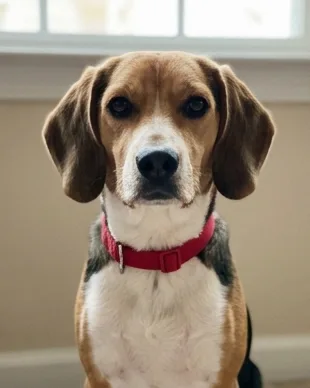
Good: eye level, daylight 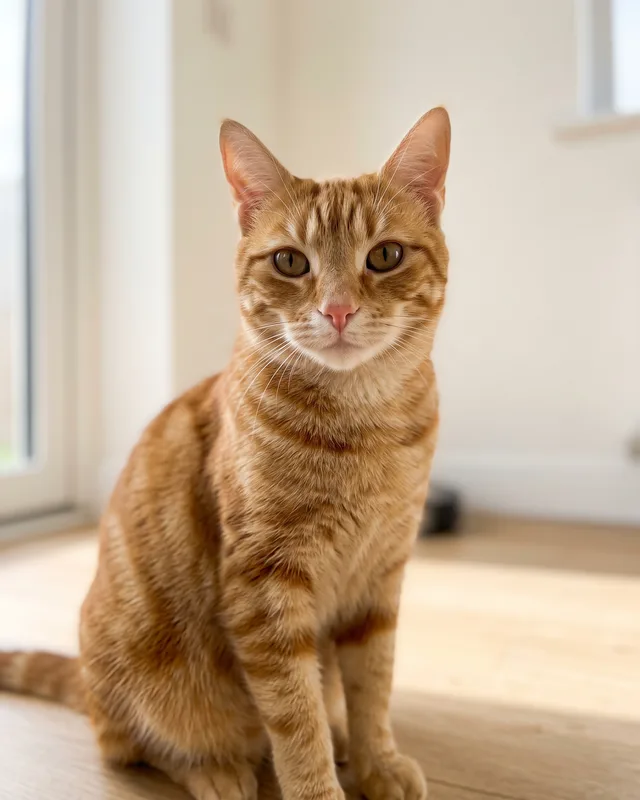
Good: face fully visible 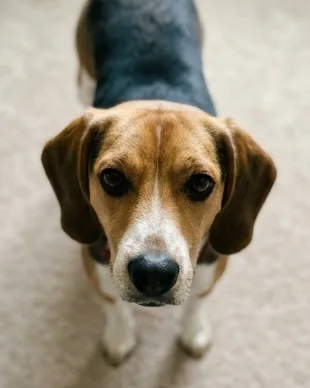
Avoid: shot from above 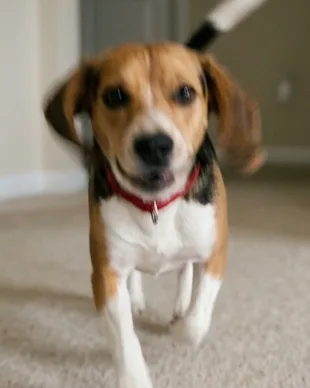
Avoid: motion blur 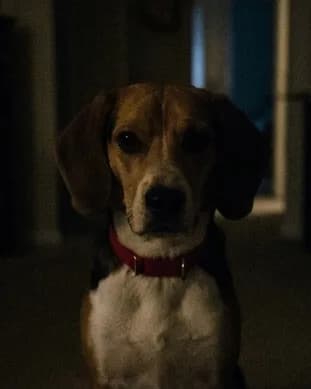
Avoid: too dark 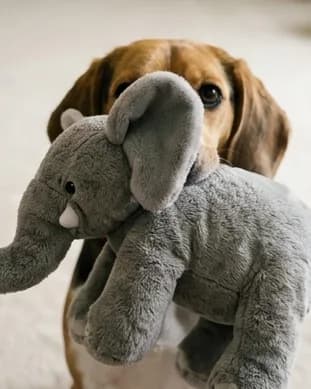
Avoid: face covered 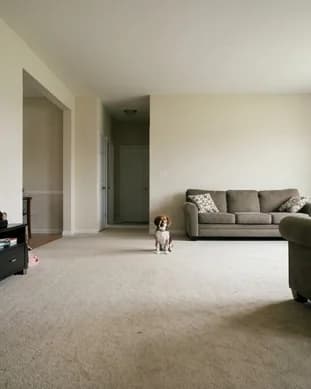
Avoid: too far away
- Sharp focus on the face and eyes, with no motion blur. Take several shots and pick the sharpest.
- Bright, even light. Dark fur needs more light than you think; a window on a sunny day is ideal.
- Shoot at eye level. Photos from above make the head look huge and the body tiny.
- The whole head visible, not hidden behind a toy, a bowl or a hand.
- One animal per photo. Crop out other pets and people.
- Fill the frame. A tiny pet in a big room gives the AI almost nothing to copy.
How to photograph a pet that will not sit still
The perfect photo for a Hotel Lobby AI pet video is a simple portrait, but pets rarely cooperate. These tricks help you get one in a few minutes:
- Hold a treat or squeaky toy just above your phone’s lens. Your pet will look straight at the camera.
- Use burst mode, or take a short video and grab the sharpest frame from it.
- Wait until after a walk or play session, when your pet is calmer and more likely to sit.
- Ask a second person to make the noise or hold the treat while you shoot.
- Wipe your phone lens first. A smudge softens every photo and is easy to miss.
- For black or very dark pets, shoot next to a bright window and avoid flash, which flattens fur detail.
How accurate are pet results? Our own test
Before launch we made 44 test videos with the same template you use and reviewed every one frame by frame; 42 of 44 passed. Pets did well in that test, but the model is still more reliable with people than with animals, so we label pet support as experimental.
| Pairing | Videos made | Passed visual review |
|---|---|---|
| Person + person | 24 | 23 |
| Person + pet | 16 | 15 |
| Pet + pet | 4 | 4 |
Even in videos that passed, pets sometimes come out a little odd. In our test, one cat was drawn at almost human size, and another stood up on its hind legs. Markings, ear shape or fur color can also drift. That is part of the charm for many people, but if you need a pet to look exactly right, use the clearest photo you have.
If a generation fails, your 100 credits return to your balance automatically, one time, so you can try again. A finished video that does not look the way you hoped has not failed; our Refund Policy explains how cash refund requests work.
Pet ideas for the orange booth
- Pets
 Illustration
- Two cats from the same home, finally performing as the duo they always were.
- A dog and a cat that get along, or famously do not.
- You and your pet as a rap duo: your photo on one side, theirs on the other.
- Two dogs from a friend group, with each owner’s permission.
- A memorial video for a pet that has passed, using your favorite clear photo of them.
Frequently asked questions
Can I put my two cats into a Hotel Lobby AI pet video?
Yes. Upload one clear photo of each cat. Pet support is experimental and cats may look less accurate than people, so use sharp, bright photos where each cat faces the camera.
Do Hotel Lobby AI pet videos work with dogs?
Yes, the same way as cats: one dog per photo, facing the camera, in good light. Results for pets are experimental.
Will my pet be animated like a person?
Pets nod and move to the beat, but they usually stay animals. Now and then the model draws a pet a little too large or standing upright, which many people find funny. Clear photos keep that rare.
Can I be in the video with my pet?
Yes. Use a photo of yourself as Photo 1 and a photo of your pet as Photo 2, or the other way round.
What if my pet does not look right?
Try a sharper, brighter photo taken at eye level. If the generation itself fails, your credits come back automatically once so you can try again.
Can I use an old photo of a pet that has passed away?
Yes, as long as the photo is clear. Pick the sharpest, best-lit picture you have where their face is fully visible. Scanned prints work if they are in focus.
Can I use a photo with two pets in it?
No. Each photo should show one animal. Crop a shared photo into two separate photos, one per pet, before you upload.
My Hotel Lobby AI is an independent AI creation tool. It is not affiliated with, endorsed by or sponsored by the original artists, their record labels, any performance channel, TikTok, Instagram, YouTube or any other brand mentioned on this site. The original Hotel Lobby recording is not included in any video.