My Hotel Lobby AI / Guides
How to Make a Hotel Lobby AI Video
What a Hotel Lobby AI video looks like
Before you start, it helps to know exactly what you are making. Every Hotel Lobby AI video uses the same simple scene: a warm orange room, one black microphone hanging from the ceiling, and two performers standing on either side of it. They nod, gesture and move like a rap duo in a studio session. The clip is short and vertical, so it fills a phone screen.
Below are two real Hotel Lobby AI videos made by our production pipeline. Each card shows the two input photos and the finished clip, so you can see what two ordinary portraits turn into.
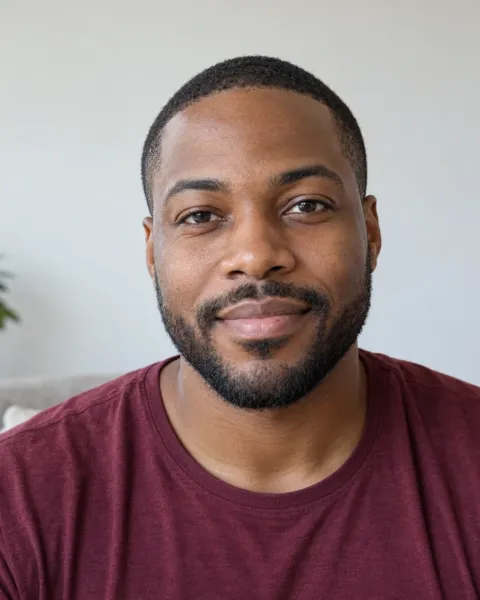
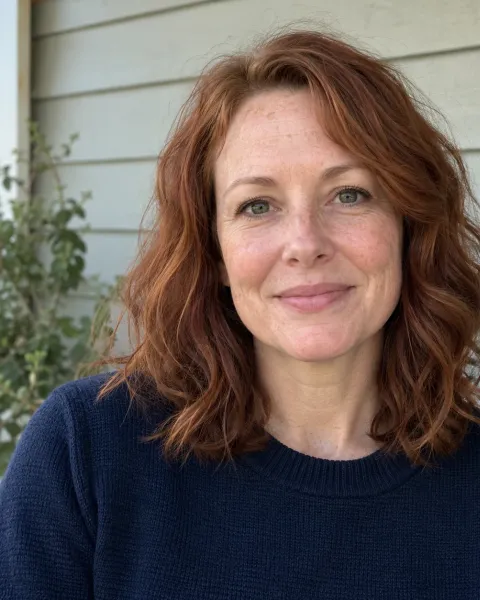
Two friends, one mic
Two separate portraits turned into one shared booth performance. Both inputs are fictional test portraits, not customers.
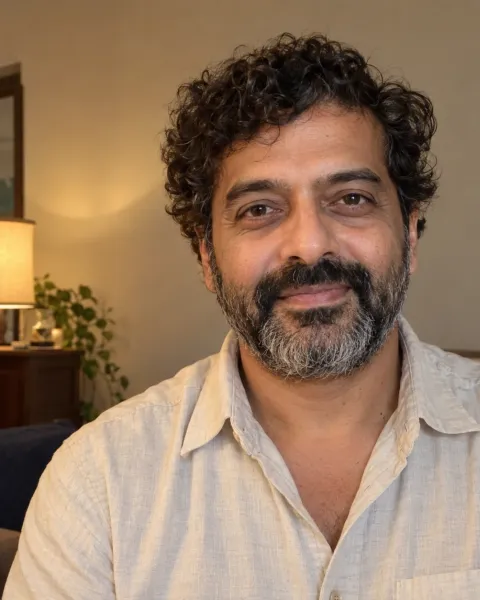
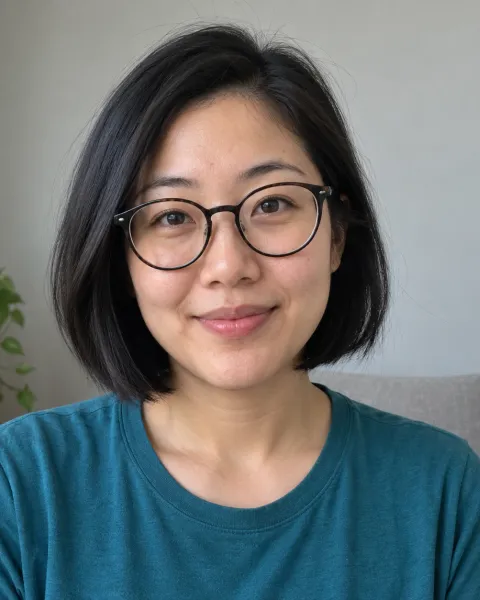
Glasses and curls
Glasses, beard and curly hair stay recognizable through the whole clip. Fictional test portraits.
What you need to make a Hotel Lobby AI video
- Exactly two photos, one of each performer (JPEG, PNG or WebP, up to 10 MB each).
- Permission from everyone in the photos. If a friend is in it, ask them first.
- A phone or computer with a browser. There is no app to install and no account to create.
- A little patience: generation time depends on demand, so we do not promise a fixed time.
How to make a Hotel Lobby AI video, step by step
Pick two clear photos
Choose one photo for each performer: one person or one pet per photo, with the face visible and well lit. JPEG, PNG or WebP files up to 10 MB each work.
Upload them in the generator
Photo 1 becomes the performer on the left and Photo 2 the performer on the right. Tap Swap performers if you want them the other way round, then confirm you have permission to use both photos.
Create and pay once
Press Create My Hotel Lobby Video. If you have no credits yet, a secure Stripe checkout takes $5.99. The AI then builds the orange booth scene, and a status page shows each real stage.
Download and post
Watch the finished 8-second video and download the MP4. It stays available for 7 days, so save a copy, then post it to TikTok, Reels or Shorts.
Who goes on the left and who goes on the right
The order of your uploads decides the layout. Photo 1 is always the left performer and Photo 2 is always the right one. The microphone hangs in the middle, between them. If you want a specific person on a specific side, for example so the clip matches a caption you plan to write, set it before you create the video. Tap Swap performers to switch them in one go.
How to choose photos that look like you
The AI can only use what your photo shows. It treats each picture as a reference for one performer, so the closer the photo is to a clear, front-facing portrait, the more the performer will look like the real person. You do not need a professional photo. A recent phone picture taken near a window is usually ideal.
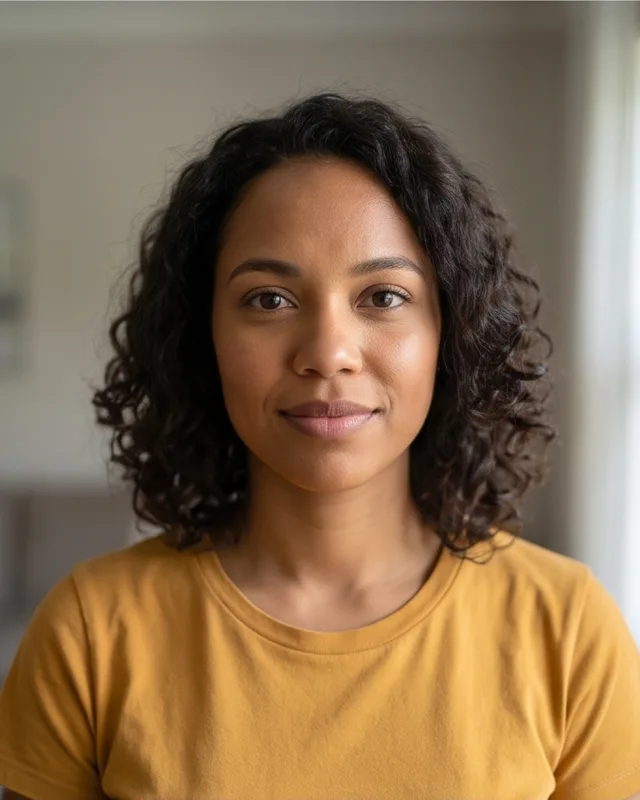
Good: clear, front-facing 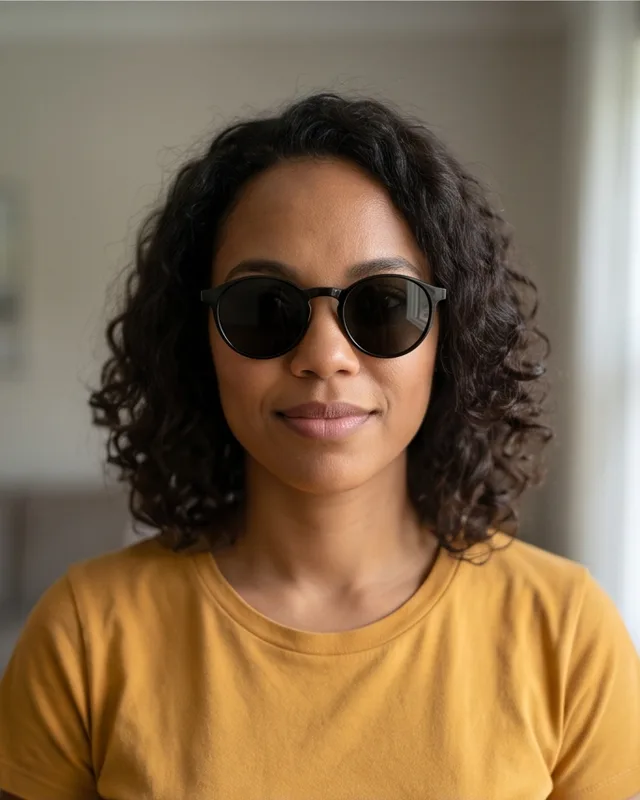
Avoid: sunglasses 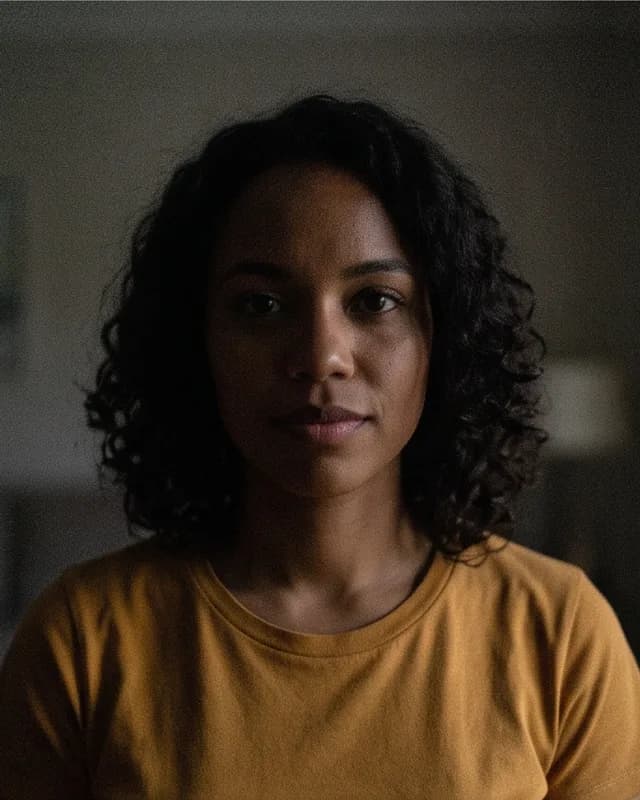
Avoid: too dark 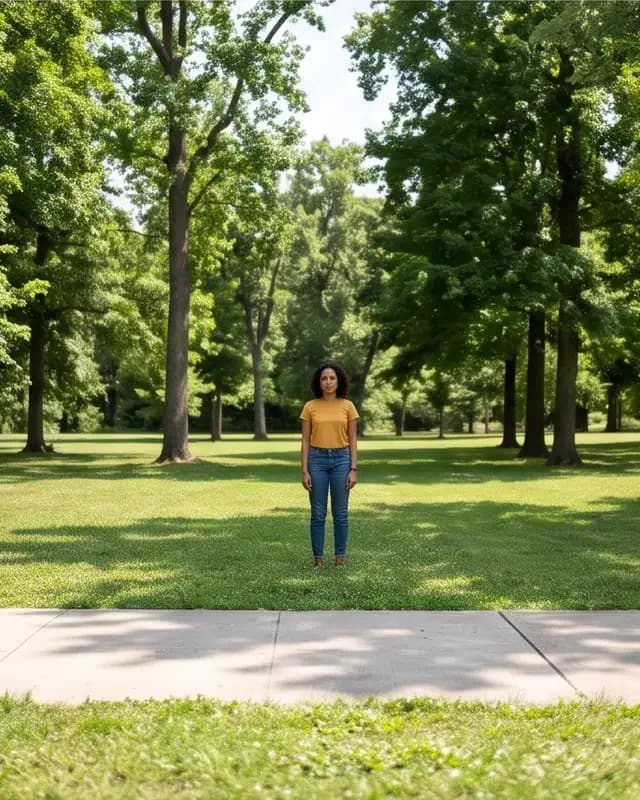
Avoid: tiny face 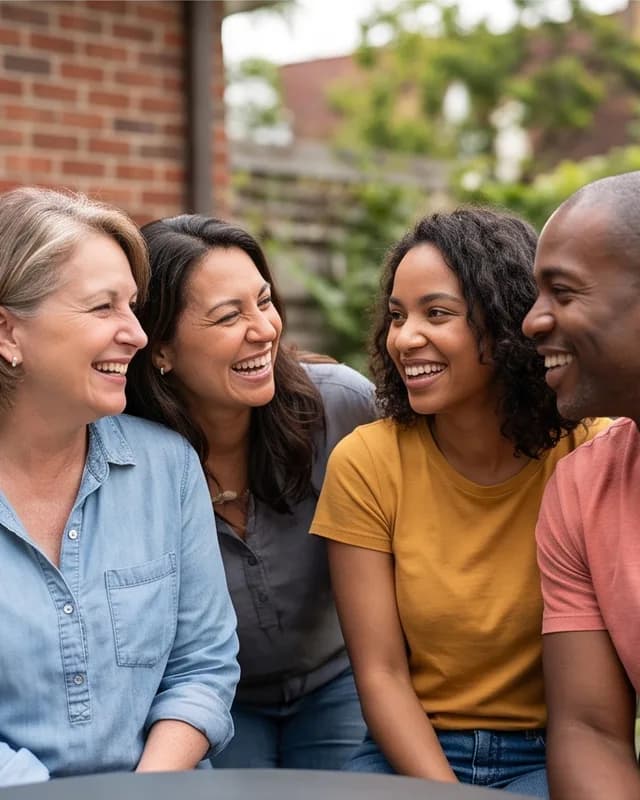
Avoid: group shot 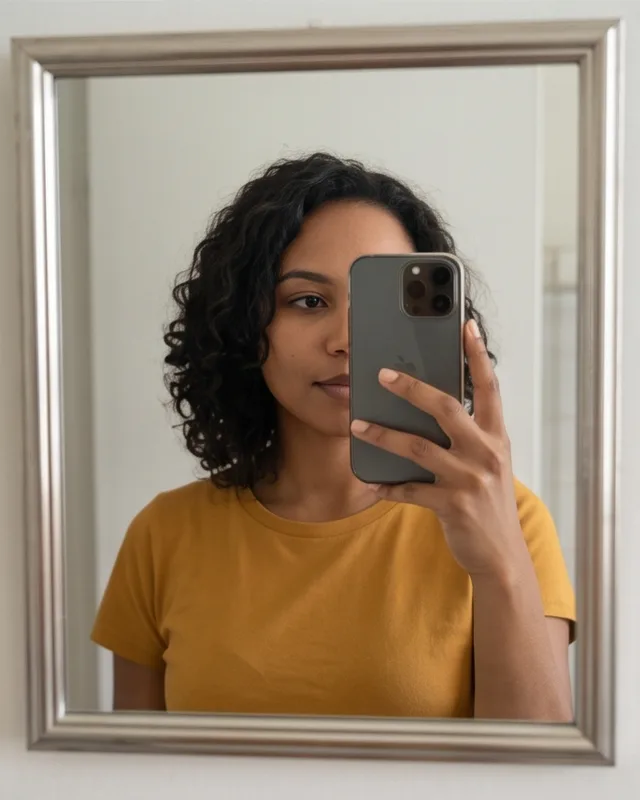
Avoid: covered face
- Face the camera, or almost face it.
- Keep the whole face visible: no sunglasses, masks, hands or hair across it.
- Use bright, even light such as daylight near a window.
- Crop to head-and-shoulders or upper body. Group shots with tiny faces work poorly.
- Skip screenshots with text, stickers or watermarks on top.
Even with great photos, AI results vary. The model may change small details such as hair, clothes or hands. Clear photos give you the best chance of a Hotel Lobby AI video where both people are easy to recognize.
What to expect from the result
Before launch we made 44 test videos with the same template you use and reviewed every one frame by frame; 42 of 44 passed. The two that did not pass show the kind of hiccup you might occasionally see: in one, the booth is empty for the first second while both performers walk in from the edges; in the other, one performer turns away from the camera for about a second.
The video has original AI-generated audio, not the original Hotel Lobby song. The performers do not lip-sync to any real track. If you want a specific song, add licensed music inside TikTok, Instagram or YouTube when you post.
Troubleshooting your Hotel Lobby AI video
| What you see | Likely cause | What to do |
|---|---|---|
| One performer does not look like the photo | The photo is dark, blurry or taken from an angle | Try a sharper, brighter, front-facing photo of that person |
| Performers are on the wrong sides | Photo 1 and Photo 2 were swapped | Use Swap performers before you create; Photo 1 is always on the left |
| The status says failed | The AI provider could not finish the video | Your credits come back automatically, once; try again with the same or new photos |
| You cannot find the video later | It only opens in the browser that made it | Come back in the same browser within 30 days, and download the MP4 as soon as it is ready |
| It is taking a while | Demand on the AI provider is high | Leave the status page open or come back later; a slow video is not a failed one |
Frequently asked questions
How do I make the Hotel Lobby AI video that is trending on TikTok?
Upload one photo of each performer to a Hotel Lobby AI generator, confirm you have permission, and create the video. On My Hotel Lobby AI it costs $5.99 once and you get an 8-second, 9:16 vertical MP4 in 720p ready to post on TikTok.
Do I need to write a prompt or edit the video?
No. The orange booth, the hanging microphone, the framing and the model settings are already set up. You only choose two photos.
Can I make a Hotel Lobby AI video with my best friend?
Yes. Use one photo of you and one of your friend. Photo 1 appears on the left and Photo 2 on the right. Ask your friend before you use their photo.
How long is a Hotel Lobby AI video?
Each video from My Hotel Lobby AI is 8 seconds long, 9:16 vertical, in 720p.
Is this a video of a real hotel lobby?
No. Hotel Lobby AI is the name of a rap duo video trend. There is no hotel in the video: it shows two performers in an orange booth with one hanging microphone.
Can I use a group photo and pick two people from it?
It is better not to. Each photo should show one person, large and clear. Crop each person into their own photo before you upload.
My Hotel Lobby AI is an independent AI creation tool. It is not affiliated with, endorsed by or sponsored by the original artists, their record labels, any performance channel, TikTok, Instagram, YouTube or any other brand mentioned on this site. The original Hotel Lobby recording is not included in any video.