My Hotel Lobby AI / Guides
Migos AI Video Generator from Two Photos
Migos AI, Quavo AI and Hotel Lobby AI are the same trend
People search for this video under several names. Some name the artists (Migos AI, Quavo AI, Quavo and Takeoff AI), some name the song (Hotel Lobby AI), and some describe the format (rap duo AI, orange booth video). They all mean the same two-performer clip, so a Migos AI video generator and a Hotel Lobby AI generator do the same job.
| Name people search | Where the name comes from |
|---|---|
| Migos AI | The rap group Quavo and Takeoff were part of |
| Quavo AI / Quavo and Takeoff AI | The two performers in the original 2022 video |
| Hotel Lobby AI | The song title, “HOTEL LOBBY (Unc & Phew)” |
| Rap duo AI | The format: two people rapping side by side |
| Orange booth video | What the scene looks like |
Why people call it Migos AI
Migos was a rap trio from the Atlanta area: Quavo, Offset and Takeoff. Quavo is Takeoff’s uncle, which is where the duo name Unc & Phew comes from: “Unc” for uncle and “Phew” for nephew. When the AI clips started spreading, many viewers recognized the two faces before they knew the song, so they searched for the group name instead. That is how “Migos AI” became one of the most common ways to look for the Hotel Lobby video, even though only two of the three members appear in the original.
What a Migos AI video looks like
These are real videos from our pipeline. Each one started as two separate photos of fictional people or pets. The AI put them side by side under the hanging microphone, kept each one on the side it was uploaded to, and added an original beat.
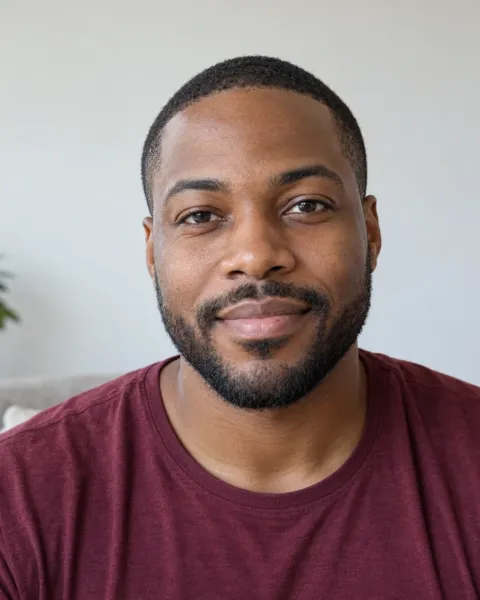
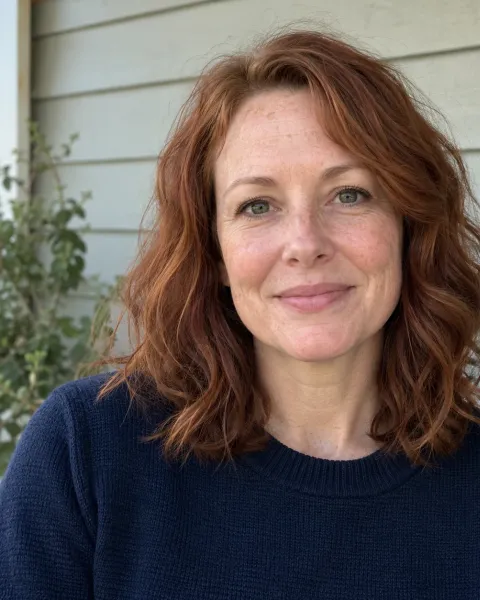
Two friends, one mic
Two separate portraits turned into one shared booth performance. Both inputs are fictional test portraits, not customers.
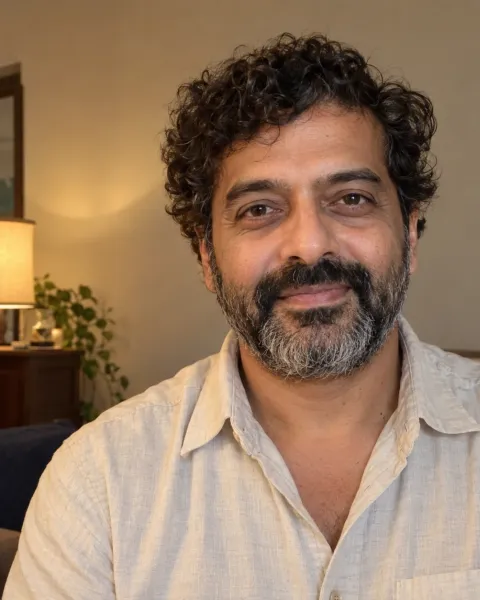

Glasses and curls
Glasses, beard and curly hair stay recognizable through the whole clip. Fictional test portraits.
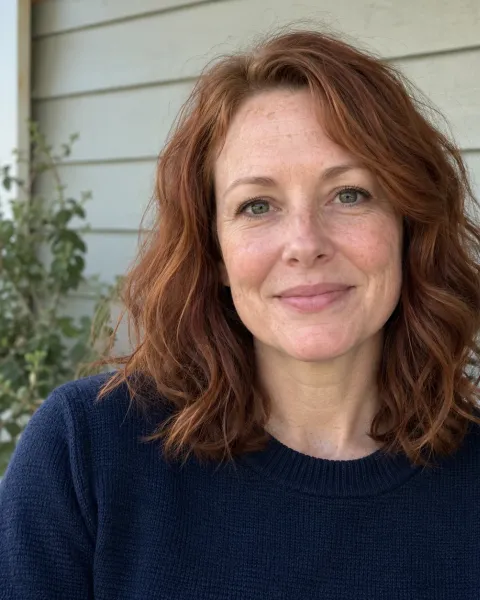
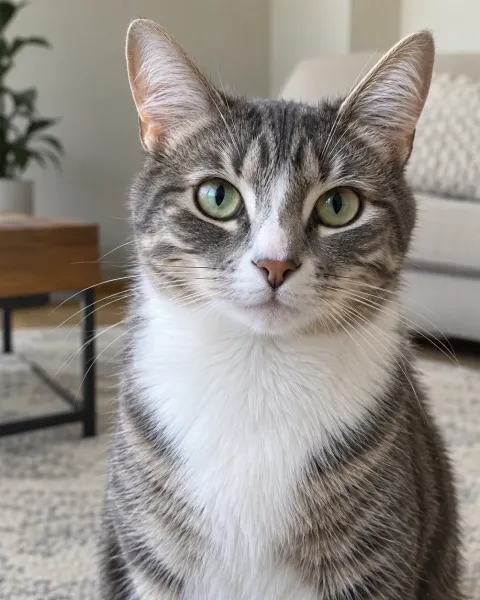
Owner and tabby cat
Human on the left, cat on the right — the order you upload is the order you get. Fictional test photos.
How to make a Migos AI video from two photos
Pick two clear photos
Choose one photo for each performer: one person or one pet per photo, with the face visible and well lit. JPEG, PNG or WebP files up to 10 MB each work.
Upload them in the generator
Photo 1 becomes the performer on the left and Photo 2 the performer on the right. Tap Swap performers if you want them the other way round, then confirm you have permission to use both photos.
Create and pay once
Press Create My Hotel Lobby Video. If you have no credits yet, a secure Stripe checkout takes $5.99. The AI then builds the orange booth scene, and a status page shows each real stage.
Download and post
Watch the finished 8-second video and download the MP4. It stays available for 7 days, so save a copy, then post it to TikTok, Reels or Shorts.
What you get from this Migos AI video generator
- An 8-second, 9:16 vertical MP4 in 720p.
- Your Photo 1 on the left and Photo 2 on the right, with one hanging microphone between them.
- The video has original AI-generated audio, not the original Hotel Lobby song.
- $5.99 one-time for one video, with no subscription and no account. If a generation fails, your 100 credits return to your balance automatically, one time, so you can try again.
- Your photos are deleted within 24 hours after the video finishes or fails.
Use your own photos, not the artists’
The point of the trend is to put yourself and someone you know into the scene. Do not upload photos of the artists or other famous people, and only use photos of people who agreed. Takeoff died in November 2022, and some fans have criticized AI clips that reuse his likeness. A Migos AI video starring you and your best friend avoids that problem and is more fun to share.
Posting your Migos AI video
A Migos AI video is ready to post as soon as you download it, because it is already vertical and short. A few habits make it land better and keep it on the right side of each platform’s rules:
- Write a caption that sets up the pairing, for example who the two of you are and why you ended up in the booth together.
- If you want the original song or any other track, add it from the platform’s licensed sound library instead of uploading audio yourself.
- Mark it as AI-made. TikTok asks creators to label realistic AI-generated content, and other platforms have similar options.
- Tag the friend who is in it, so they see it first and can say if they would rather you did not post it.
Tips for a better Migos AI video
- Use a front-facing photo for each person. The face should fill a good part of the frame.
- Pick photos with similar lighting so the two performers look like they belong together.
- Decide who goes left before you create. The order you upload is the order you get.
- Pets work too, but results are experimental. A sharp, bright photo at eye level helps most.
Frequently asked questions
What is Migos AI?
Migos AI is a nickname for the Hotel Lobby AI trend, where AI puts two people or pets into an orange booth with one hanging microphone, like the 2022 Quavo and Takeoff performance on A COLORS SHOW.
How do I make a Migos AI video from two photos?
Upload one photo for each performer to My Hotel Lobby AI, confirm you have permission, and create the video for $5.99. You get an 8-second, 9:16 vertical MP4 in 720p.
Does the Migos AI video use the original song?
No. My Hotel Lobby AI does not include the original recording. Each video has original AI-generated audio, and you can add licensed music when you post.
Can I put my pets in a Migos AI video?
Yes. Upload one clear photo of each pet, or one of you and one of your pet. Pet results are experimental and can be less accurate than people.
Why is it called Migos AI if only two members are in it?
Quavo and Takeoff, the two performers in the original video, were members of Migos. Viewers often recognized them before they knew the song title, so they searched for the group name.
Is My Hotel Lobby AI an official Migos product?
No. It is an independent tool and is not affiliated with, endorsed by or sponsored by Migos, Quavo, Takeoff, their labels or A COLORS SHOW.
My Hotel Lobby AI is an independent AI creation tool. It is not affiliated with, endorsed by or sponsored by the original artists, their record labels, any performance channel, TikTok, Instagram, YouTube or any other brand mentioned on this site. The original Hotel Lobby recording is not included in any video.